

How to squash and rename commits
Well, If you are reading this, you must have encounter a situation where you must have taken multiple steps to fix an issue. Recent example for me was making my integration environment work. That required a lot of debugging and many small delta commits.
git rebase -i master HEAD~10
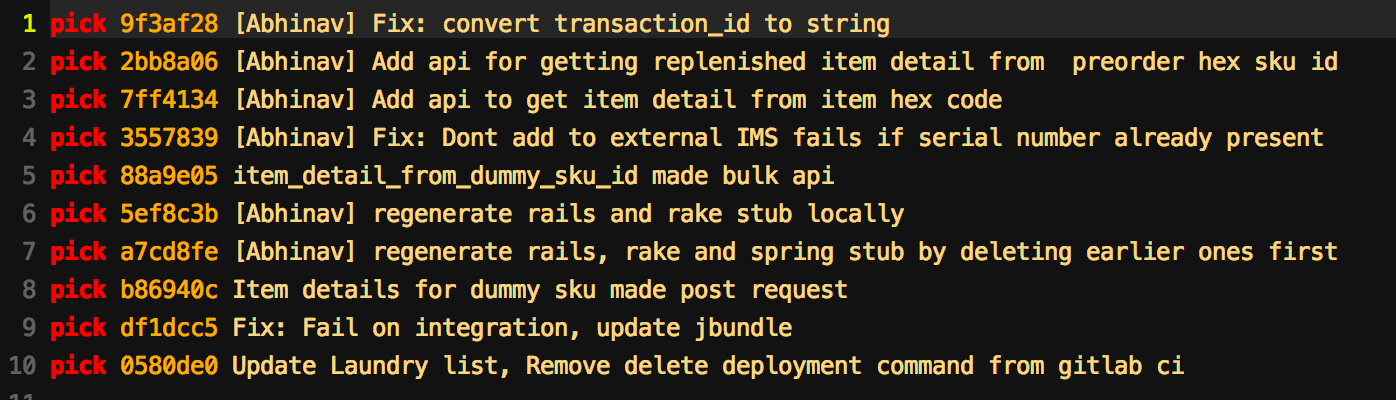
This will open up the last 10 commits for you. Mind that the commits are in the reversed order of git log so. Most recent commit comes at the bottom (unlike top). Note the word pick written before each of the commit.
Squash Commit
Say, I wanna squash the last 5 commits. I will replace last 4pick with squash starting from bottom. As soon as you save it, another editor comes which shows the list of your commits and their value.
Rename Commit
Replace the word pick with edit and save.
If you have already push to the cloud (github/gitlab), then you would have to make a force push.
How to reset to previous commit?
git reset --hard 9fg3278fsdhj28efhiwer39498h
You may contact the author at me@abhinavrai.com