

Making an API call in Android with Retrofit, RxJava and clean Architecture
Part 1— Dagger
Some Basics:
Retrofit -> Wrapper over okhttp
RxJava 2 ->Android Library which helps in running this api call on background thread
Clean Architecture -> Its just like the onion peels. The outer layers should not know anything about the inner layer. They should talk via interfaces so that if later we need to replace any thing, we can do that keeping the contract same. Eg: Change postgres to mysql, change redis to rabbitmq, etc. The core domain logic lies inside the innermost layer.
We would be using MVP along with clean architecture. When we talk about clean architecture, the Presenter is not alone, there is something which I call Repo and Implementation to abstract the code better. In this post we will make a get call at https://jsonplaceholder.typicode.com/todos. We won’t care about the UI elements — but just the process of making the API call.
Lets start with Dagger. Dagger injects the dependencies. You would get a lot of documentation and tutorials on how but lets understand why. See the example below:
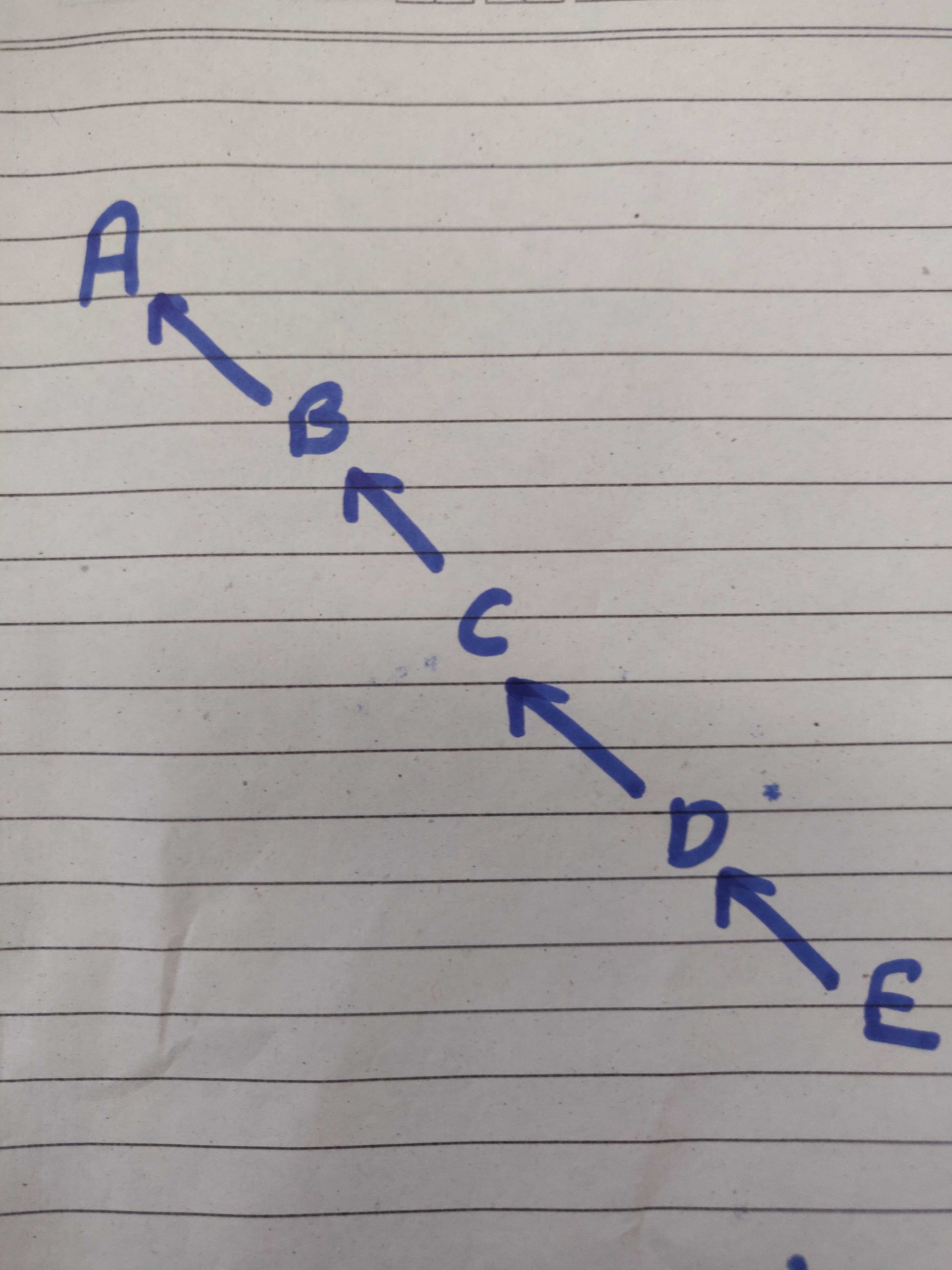
A is dependent on class B, B on C and so on. In small projects, we can just do
Class A() {
	val e = new E(something1)
	val d = new D(e, something2)
	val c = new C(d, something3)
	val b = new B(c, something4)

	// Now use B
}
But imagine that there are 4 more classes like A which use B. And every time we need to initialise A like class, we have to write all this code every time.
Instead of doing this every time, what if this was made once and then injected in the constructor for these classes. Google realised this problem and made dagger library to solve this problem. There are much more things which dagger can do like scope (where to use this injected class and where not), etc.
So you declare these dependencies and then dagger does the job for you. There are annotations which dagger uses like @Module, @Component, @Scope, @Subcomponent, etc. To know more about these, read this blog.
Quick:
- Components is an interface with
injectmethods which tells dagger where to find the inject annotation via the arguments in the inject method. - Module: Based on the return type, the module gives the desired class.
Now lets see why subcomponents are useful. Subcomponents inherit and extend the parent component. Say we want to make an android library for doing some task. (Say Todo Library). We need some things (dependencies) from the main app calling this library such as retrofit, some core logic things depending on your use case, etc. Either we can just pass them in the constructor to the library or use dagger to do this task. In constructor it becomes bad for large code bases with so many things passed in constructor and thus it ain’t a good way. Lets do it with dagger and see how much organised and better our code will be.
In the main app where we call this library, :-
In manifest: add
android:name=”.MainApp”
as application attribute.
Make class MainApp and extend it with
class MainApp : Application(), TodoComponentProvider {}
This TodoComponentProvider comes from the library. Its an interface.
interface TodoComponentProvider {
    fun todoComponentDeps(): TodoComponent
}
The reason for this is that we can convert application (which we will send to sdk) to TodoComponentProvider by typecasting.
So override the function todoComponentDeps in MainApp. And we can get TodoComponent deps.
@Singleton
@Component(modules = [SomeModule::class, NetworkModule::class])
interface TodoComponent {
    fun plusTodoHomeComponent(todoHomeModule: TodoHomeModule): TodoHomeComponent
    fun plusAddItemToTodoComponent(addItemModule: AddItemModule): AddItemComponent
    fun plusRemoveItemComponent(removeItemModule: RemoveItemModule): RemoveItemComponent
}
This TodoComponent is made of 3 Subcomponents. There are not to be used everywhere but only in the desired places. So we make them subcomponents. They can still use their parent’s values and we can scope them if we want.
Lets see any one subcomponent:
@Subcomponent(modules = [TodoHomeModule::class])
@TodoSdkScope
interface TodoHomeComponent {
    fun inject(todoHomePresenter: TodoHomePresenter)
    ....
}
Now how are they called?
(activity.application as TodoComponentProvider)
        .getTodoComponentDeps()
        .plusTodoHomeComponent(TodoHomeModule(activity))
        .inject(todoHomePresenter)
See the conversion from application to TodoComponentProvider.
Scope:
@Scope
@Retention(AnnotationRetention.RUNTIME)
annotation class TodoSdkScope
Tune in for the next blogs on RxJava and Api calls.